






Office templates
Brand-consistent Office templates for value-driven teams
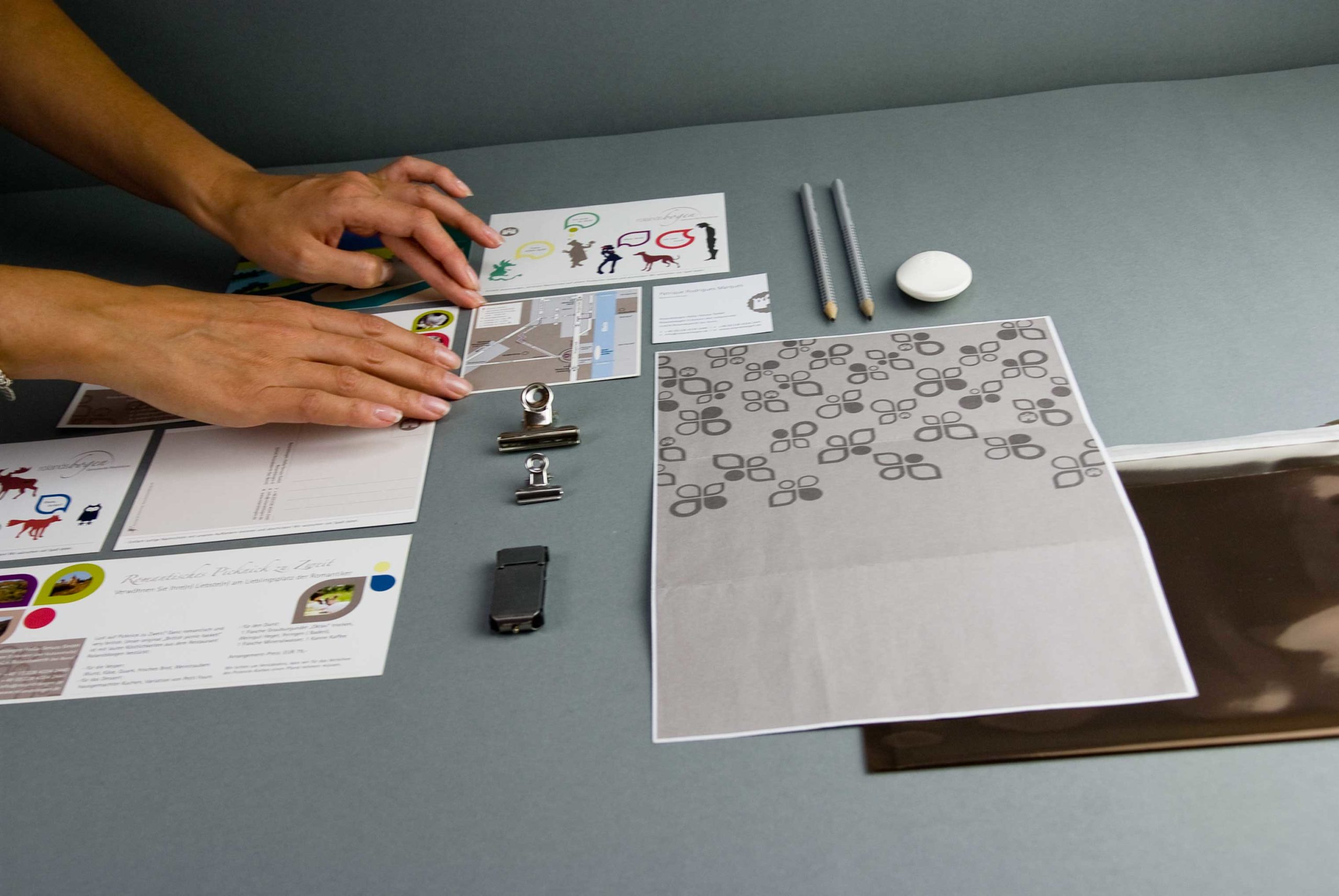
Every day, Office templates shape how your brand is perceived by customers. Every quote, every invoice and every presentation showcases your branding to the outside world. We design PowerPoint, Word and Excel templates that enable your team to work efficiently whilst ensuring your brand remains recognisable in every document.
Efficient implementation
Structured onboarding and offboarding for every project
Clear processes
Three established processes guide you safely through your project
Sustainable success
A weekly 60-minute group call following the end of the project

Our promise
Office templates: Eight reasons why we are the right partner
Templates from your branding
We’ll apply your corporate design and guidelines for tables and charts in Office. Colours, fonts and spacing are hard-coded into every template.
One system for all programmes
PowerPoint, Word and Excel templates follow the same rules. A common Office design ensures that colours and fonts appear the same across all programmes.
Charts in brand colours
New charts in PowerPoint and Excel automatically adopt your brand colours. No one needs to recolour bars and lines by hand any more.
Cover letter, invoice and internal document
The Word templates cover your most important business documents. Style sheets for headings, text, lists and tables are neatly organised.
Microsoft Office, Google or Canva
We create your templates in Microsoft Office, Google Workspace or Canva. The price remains the same regardless of the programme used.
Reliable even on other computers
We check the font licences and specify alternative fonts. This ensures that every layout remains consistent when clients or colleagues open the file.
Option to exit after each phase
A concept, open-ended templates or guidelines as well: you choose what your business really needs. All prices are fixed from the outset.
Clean files right from the start
We work exclusively with templates that we have created ourselves. We do not adapt existing documents. This ensures that every file remains logically structured and reliable.

Our understanding
Office templates that bring a brand into everyday life
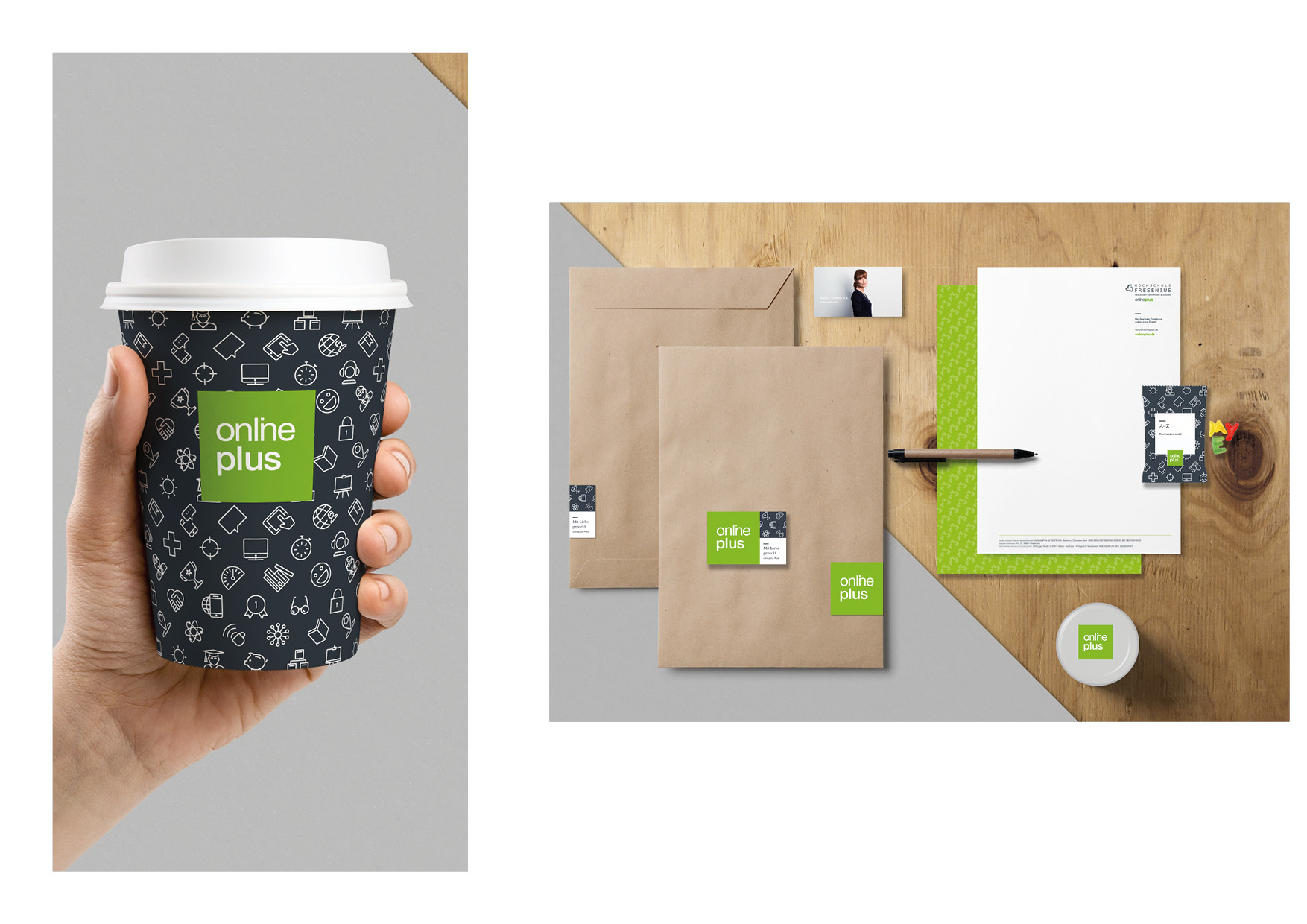
One Presentation, a Letterhead, a Invoice or a Excel spreadsheet You rarely see these in a design agency. These documents are produced as part of day-to-day work, often under time pressure, and are sent directly to clients, partners and investors. This is precisely where it becomes clear whether a corporate identity really works. Good office templates make it easy to get everything right, and difficult to make a mistake by accident.
We develop PowerPoint templates, Word templates and Excel templates based on your existing branding. Slide masters, style sheets and chart colours are designed to make it easy for your team to add content. The result is a template system that works in day-to-day operations and ensures your brand is recognisable in every document.
Customer feedback
First-hand: what customers experience
„Sustainable branding isn’t just a green veneer, but a clear stance. This is where brands are created that not only make a visual impact, but also take on genuine responsibility and demonstrate a measurable impact.“
Anke Kühne
Managing Director | Estaverde
„Ethical brands don’t need flashy marketing; they need clear, honest language. When strategy, design and values align, genuine trust is built – and that’s exactly what lasts.“
Hannah Seward-Thompson
Sole trader | Mint Hedgehog
„Impact is created where branding does not merely sell, but brings about change. Sustainable brands in the property sector demonstrate that business and social responsibility are not a contradiction, but the very future.“
Ludwig Frede
Managing Director | BonnVisio
Weaknesses & Opportunities
Documents are created every day – it’s Office templates that really bring the brand to the fore
Unfortunately, this happens quite often
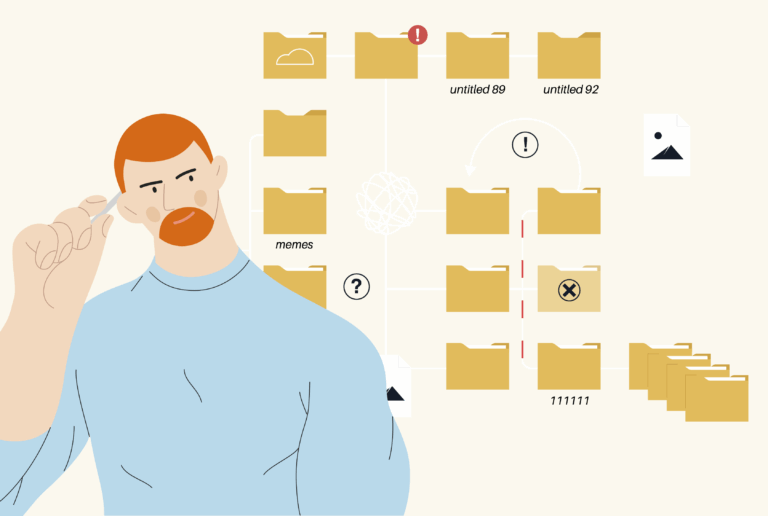
Every presentation looks a bit different. Templates are copied, adapted and passed on until all that remains of the corporate identity is the logo, and customers can barely recognise the brand anymore.
Charts are displayed in the standard Office colours. Because the Office design isn’t linked to the brand colours, someone either laboriously recolours each chart by hand or simply leaves it as it is.
The trademark symbol is missing on many computers. If a customer or colleague opens the file, Office automatically replaces the font, lines shift out of place and the carefully crafted layout falls apart bit by bit.
The guideline is in the folder, but nobody looks at it. Without clear guidelines for tables, charts and slides, everyone does as they please, and the visual style drifts further and further from the standard with every document.
Here’s how we’ll sort it out
Fixed layouts in the slide master give every deck the same distinctive style. It’s worth doing, because according to a Nielsen study commissioned by empower, almost one in two office documents in companies does not comply with brand guidelines.
We integrate your brand colours seamlessly into the office design. This means that every new chart looks just right straight away, and according to the Nielsen study for empower, charts are the biggest time-waster in PowerPoint.
We will review the font licences and select a suitable replacement font. This ensures that every layout remains consistent even on other computers, and according to Smallpdf, three out of four working professionals find they can work faster using templates.
A concise guide explains how your team can use the templates correctly. It fills a real gap, because according to Marq, 85 % companies have brand guidelines, but only 30 % enforce them consistently.
Creative process
Suitable for any business – from concept to guidelines
This process translates your brand into a well-thought-out design that suits your business. Expect it to take around a week’s research, two weeks to develop the concept, one week for the templates and two weeks for the guidelines. Each phase ends with a practical outcome. This way, you get exactly what you need for your next step need.
Research: Discover & Define
Each of our projects begins with a brief research phase. We review your information and data, gather inspiration and ideas, and compile everything into a mood board. For companies that entrust us with the implementation, this step is more streamlined than for teams continuing to work in-house. We present the mood board to you and finalise it together with you – as a guide for the next steps.
Concept: Design
Based on the mood board, we create layouts and sample visualisations. We set these out in a concept presentation and discuss them with you – your feedback is incorporated straight away. Once approved, the concept is ready for implementation. Sole traders who wish to implement the concept themselves can use this as a basis to create their own templates and populate them with content.
Templates: Develop
For SMEs that entrust the entire implementation of the project to us, we create professional templates based on the concept, which enable us to continue working efficiently. We populate these with content in additional projects, finalise the designs and, where required, oversee them right through to production or printing. This creates a consistent, reliable workflow – from the initial idea to the finished product.
Guideline: Document
For growing companies with their own teams,we already create in the previous step Templates, which can be easily filled with content internally. At the same time, we document the system in Guidelines, that ensure consistent application and long-term scalability. This creates a Fully usable, clean setup, that represents the brand clearly and reliably.
Packages & services
Your performance model with the option to opt out after each phase
You exit after the phase that suits the size of your business. Guided Start (S) ends with the concept and is suitable for sole traders who carry out the work themselves. Trusted Lead (M) provides templates as editable files for small and medium-sized businesses that continue to work with us. Bespoke Project (L) It also includes guidelines for larger organisations with their own team, which they can use to brief other service providers.
Included in all packages:
1 online meeting (core team, max. 3 people) and 1 round of revisions per project phase
A weekly 60-minute group call following the end of the project
Unless otherwise agreed, no open working files will be provided. 2bu design is entitled to use the project for reference purposes.
All prices are exclusive of VAT.
Add-ons
Office templates and add-ons for everything beyond the basics
Tailor-made solutions that visibly strengthen your sustainable business – with clear, fixed pricing so you know exactly what to budget for right from the start. We’d be happy to discuss with you which elements will really make a difference to your project.
Delivering your presentation
Your company, launch or product presentation – or your sales deck – will become a reality. We’ll finalise them based on your PowerPoint templates. Text and images are not included, so you can remain flexible.
1.500 €/25 | 2.250 €/50 | 3.000 €/from 100 pages
More Office templates
Do you need more than just the template pages included in the package? We can add further slides, letters or tables within the same system – for example, minutes or a report. You’ll be charged per page.
60 € per page
Office training for your team
In an online training session, we’ll show your team how to use Office templates correctly: slide masters, style sheets, charts and tables. This ensures your brand remains consistent in every new document.
80 €/hour
Set of pictograms
Whether it’s ingredients, wayfinding or infographics: we develop bespoke pictograms to match your brand identity. This requires an existing brand identity. You’ll receive the files in EPS, PDF, PNG, SVG and JPG formats.
600 €/10 | 900 €/20 | 1.200 €/40 pieces
Illustrations charged at cost
Illustrations give your brand personality. Based on your existing branding, we create illustrations that bring your story to life. You’ll receive the files in EPS, PDF, PNG, SVG and JPG formats.
60 € simple | 120 € medium | 240 € complex per item
Photography services from the network
Some projects require bespoke images. Working alongside experienced photographers from our sustainable network, we create authentic images of products, staff and corporate environments.
Stylish additions made from reclaimed timber
Stock images that don’t look like stock images are all down to careful selection. With Markenblick, we search for and licence suitable images, illustrations or pictograms. This ensures your brand remains authentic, and the licence is included.
600 €/10 | 900 €/20 | 1.200 €/40 pieces
Online guidelines
Instead of creating a PDF, we’ll build your guidelines online as a Brand Hub in WordPress. This means that staff and external agencies worldwide can view the latest version at any time, in their own language if required. AI also finds the Brand Hub easier to read and can implement content in line with the corporate design more quickly.
180 € simple | 480 € medium | 720 € complex per page (+25 % in other systems)
Copywriters with expertise in sustainability
Our copywriters specialise in sustainable brands and can write new copy or optimise existing content, using AI if required. We base our work on your tone of voice. A standard page comprises 1,500 characters, including spaces.
80 € per standard page
Proofreading and editing (English/German)
We check your texts in three stages: proofreading for spelling and grammar; editing for style and expression; and in-depth editing for structure and coherence. A standard page comprises 1,500 characters, including spaces.
4 € | 8 € | 12 € per standard page
AI automation
We upload your project deliverables directly to Claude – such as brand strategy, brand design, SEO concepts or content plans. You, your team or your agencies save time, and the AI ensures every detail of the guidelines is taken care of. Ideas and decisions remain in human hands.
1.280 € (+25 % in other systems)
FAQ
Answers to the most important questions
The most frequently asked questions are rarely the least important ones. That’s why we answer them here openly and straight away. This way, you’ll get a clear picture, understand our processes and know what to expect next. If anything’s still unclear, simply book a coffee date with us: transparent, structured and on equal terms.
Who are Office templates suitable for?
Office templates are worth using for Sole proprietor, small and medium-sized enterprises and growing teams, who regularly draw up quotations, invoices, reports or presentations. Whenever several people are sending documents to external parties, good templates ensure that every document is consistent with the brand.
Typical occasions include a new company presentation, a Rebranding or a team that wants to work more quickly and consistently. The aim is always to create a system that saves time in day-to-day operations and raises your brand’s profile.
What software is used to create the Office templates?
The project is running in the Creative process. You can opt for the concept (S), the templates (M) or the guidelines (L). The design will be tailored to your requirements in Microsoft Office, Google Workspace or Canva. The price is the same across all three programmes.
In Microsoft Office, we work with Film masters, Style sheets and its own Office design for colours and fonts. In Google Workspace and Canva, we use similar features. You can finalise a presentation using the add-on „Delivering your presentation“ on that.
What do I need before I start using my Office templates?
A prerequisite is an existing Branding including the logo, colours and typefaces, as well as Guidelines for tables and diagrams. The Office templates are designed with this in mind, so that they fit seamlessly into your brand.
If any of these are missing, we’d be happy to develop them with you beforehand, for example as part of our Brandings. It would also be helpful to provide examples of your most common documents. That way, we’ll know what content the templates need to include.
Are you converting existing documents to the new Office templates?
No. We work exclusively on Templates that we have created ourselves. Existing files often contain hidden formatting, old style sheets and copied elements. Converting them then takes longer than starting from scratch and rarely produces a reliable result.
If you need additional templates, we’ll add them using the add-on „More Office templates“. We create finished presentations using the add-on „Delivering your presentation“ based on your new templates.
Who will be able to edit the Office templates later on?
Sole proprietor With Package S, you get a clearly structured Concept (PDF), which you can use as a basis for creating your own templates. From Package M onwards, you’ll receive the Templates as open files, which fills your team with content straight away.
Package L introduces a a brief guide on this topic. It demonstrates how to use slides, tables and charts effectively. If you’d like, we can show your team, in a Office training, how it all works.

Initial consultation
Your brand deserves Office templates that stay true to it day in, day out
Good design is evident in the hundredth offer just as much as it is in the logo. Office templates in the corporate design They bring together lots of individual documents to create a consistent brand image. That way, everyone recognises your brand, no matter who on the team is writing at the time.
In a a no-obligation, free initial consultation we check together whether we share this aspiration. You grab a coffee, we consciously take our time. The call is for sorting out thoughts, sharing ideas openly and filtering out what really matters for your project. Calmly. Honestly. Without pressure to make decisions.
It quickly becomes clear whether it’s a good fit – strategically, creatively and on a personal level.
If so: brilliant. If not: that’s fine too. Clarity is always a bonus.
 German
  English