




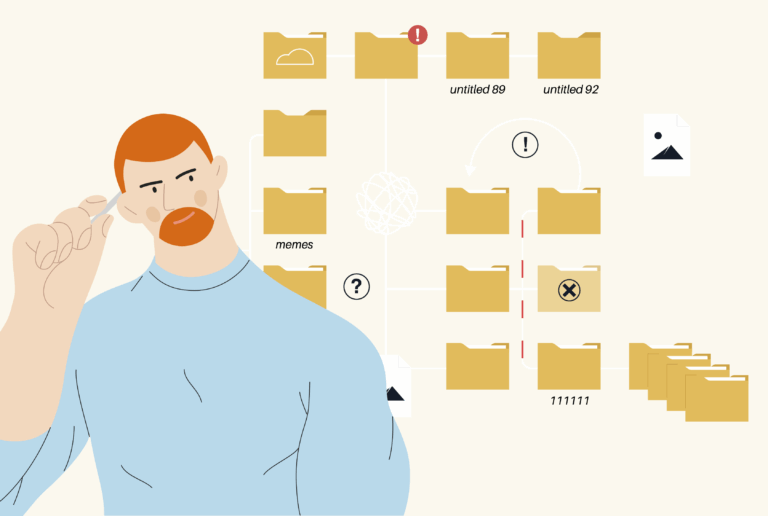



Why there is not just one correct file
Your logo may be the same everywhere – but the file requirements are not. After all, a social media post needs different specifications than a T-shirt print or a business card.
Important to understand:
-
Not every file format is suitable for every purpose
-
Colour modes such as RGB and CMYK determine whether your design looks good on screen or in print
-
The resolution (dpi) determines whether the image will look pixelated or crisp and sharp
That might sound like nerdy stuff, but it’s absolutely essential for a consistent brand image – and it’ll save you a lot of hassle when you’re working with printers, service providers or online shops.
File formats: Which for what – an overview
In design, we generally distinguish between two file formats: raster graphics, which consist of individual pixels, and vector graphics, which can be scaled without any loss of quality.
Raster formats – for photos & web graphics
These formats consist of pixels and are not infinitely scalable:
-
JPG / JPEG
-
Most common format for photos
-
Compressed, therefore smaller file size
-
No transparency possible
-
Good for: Web, social media, newsletter
-
-
PNG
-
Supports transparency (e.g. for logos without background)
-
Compressed without loss
-
Larger than JPG
-
Good for: Websites, presentations, small printed matter
-
-
TIFF
-
High-quality image format without loss of quality
-
Very large file size
-
Good for: professional printing, archiving
-
Vector formats – for logos, icons & printing
These formats consist of mathematical expressions and are scalable to any size – without any loss of quality:
-
SVG
-
Ideal for web and responsive designs
-
Small file size, but not printable everywhere
-
Good for: Websites, online icons, illustrations
-
-
EPS
-
Classic vector format for printing
-
Often required by printers
-
Good for: Posters, banners, advertising material
-
-
PDF
-
Universal format for print data
-
Can contain both raster and vector data
-
Good for: Print approvals, proofs, flyers, brochures
-
Our tip: Always ask your agency to provide you with a selection of formats. That way, you’ll be prepared for all applications – from the website to the exhibition stand.
Colour mode: RGB vs. CMYK – Screen or print?
Not all colours are the same – at least not in the digital world. The question is: Is the colour displayed on screen (RGB) or printed (CMYK)?
RGB – for digital applications
-
Stands for Red, Green, Blue
-
Colour mode for monitors, smartphones and websites
-
Bright, powerful, lively
-
The colour space is larger, but not printable
CMYK – for printing
-
Stands for Cyan, Magenta, Yellow, Key (Black)
-
Colour mode for all types of printed products
-
Colours often appear duller than on the screen
-
Important for: Business cards, posters, brochures, packaging
Important: RGB files look great on screen, but can be disappointing in print. Therefore, all print files must always be converted to CMYK – ideally before the design process begins, to avoid any nasty surprises.
Resolution: What does dpi actually mean?
dpi = dots per inch – that is, the number of pixels displayed per inch. The higher the number, the sharper the result will be. However: Not everything needs 300 dpi.
The most important dpi values at a glance:
-
72 dpi
-
For: Web, screen, social media
-
Completely sufficient for digital display
-
Fast loading, small file size
-
-
150 dpi
-
For: simple office printouts, presentations
-
-
300 dpi
-
For: professional printing
-
Business cards, flyers, brochures, packaging
-
-
600+ dpi
-
For: very fine prints, e.g. art prints or labels
-
Fun fact: An image with 72 dpi looks good on screen, but appears pixelated and blurry when printed. Conversely, a 300 dpi image is too large for the web and results in long loading times.
What does this mean for sustainable companies?
Sustainability doesn’t stop at eco-friendly paper – it starts with clear communication of your brand. If you:
-
uses the right formats for each channel,
-
colour profiles consistently and
-
work with a smart resolution,
…you’ll not only avoid mistakes, but also unnecessary reprints, returns or hours spent clarifying matters with the printers. This saves resources, stress and CO₂.
It's all a question of form(at)s
Whether it’s a website, a business card or a gift box – the file must be suitable for its intended use. And that’s exactly why it’s so important to understand the differences between JPG, PNG, EPS and the like. RGB vs. CMYK? dpi? It sounds technical, but it’s essential for working professionally, efficiently and sustainably.
Do you want a Corporate Design that not only looks good, but is also practical?
We can help you with:
-
Business & product photography that makes an impact – both digitally and in print
-
A colour palette for your brand that looks great in print too
-
Logos that look great in any format
Professional, sustainable & with an eye for detail. Design that lasts – and makes an impact.




 German
  English